


Water Sort: Color Match
4.8507.00 Reviews
App Specs
- Version
- 1.1.9
- Updated On
- License
- Free
- Downloads
- 5,000,000+
- Developer
- FunForge Studios
- Categories
- Casual
- Platform
- Android
Screenshots
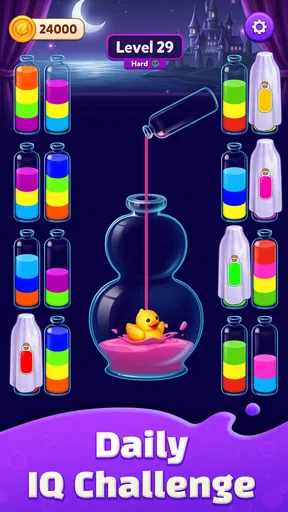
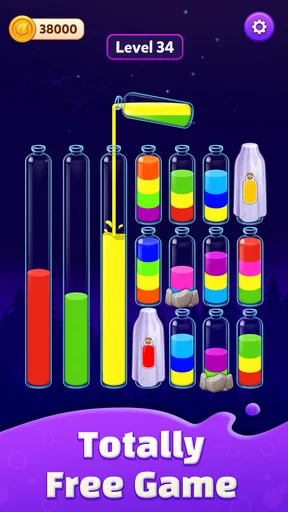
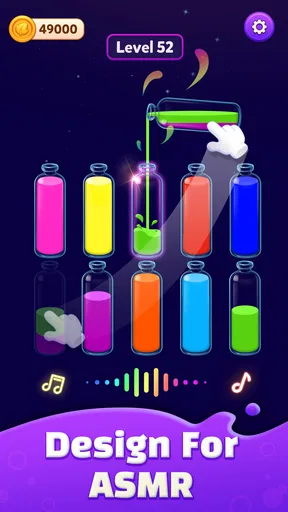
 Analysis by AppCompare
I like puzzle games that are easy to pick up but still ask me to think a move ahead. Water Sort: Color Match aims for exactly that kind of quiet challenge: you work with containers of colored liquid, pouring between them to arrange matching colors together. It is a simple premise, but a crowded board can turn a quick break into a satisfying little planning exercise. The game is free, and its Everyone rating makes it broadly approachable.
Where a simple pour can become a puzzle
The basic appeal is that each move is easy to understand while the consequences can be less obvious. A pour may free space in one container, but it can also bury a color you need later. I find it helps to look at the empty capacity available across the board before moving anything, rather than focusing only on the color that seems easiest to sort first.
That makes the game a good fit for short pauses: waiting for a kettle, sitting on public transport, or taking a breather between tasks. You can get into the puzzle without learning a long set of rules. It is also a calmer choice than action-heavy casual games, since the challenge comes from arranging colors rather than reacting quickly.
The main frustration is familiar to anyone who has played a water-sort puzzle: a move that looks useful can leave the board more constrained. When several containers have mixed layers, it is tempting to pour just to make visible progress. I recommend treating spare space as a resource. Before moving a top layer, ask whether the destination will still leave room for a color that may need to pass through later.
Patience is more useful than speed here. If you like puzzles where a few deliberate choices matter, that can be satisfying. If you want constant novelty, a story, or a fast stream of changing objectives, the minimal sorting loop may feel repetitive instead.
Getting started without adding unnecessary friction
Water Sort: Color Match is a casual game from FunForge Studios. It was released on February 5, 2026, and version 1.1.9 is the current version. The minimum operating system requirement is Android 6.0, so it is worth checking your device’s software before installing if you are using an older phone or tablet.
On first opening a puzzle game like this, I would start with a small practical check: make sure the device has a stable connection for the initial download, then open the game and see whether it responds normally before settling in for a longer session. If the screen appears stuck, closing and reopening the app is a sensible first step. If it still misbehaves, checking for an available update and restarting the device can help distinguish a temporary hiccup from a persistent compatibility problem.
Worth Reading Before You Choose

EA SPORTS FC Mobile 26 Is a Bigger Football Game, but It Takes Time

Flipboard Shows What News Apps Must Do Beyond the Feed

Switching to Android Auto Means Rethinking Your Driving Routine

Google Calendar Makes a Crowded Week Easier to Manage

Ludo King Makes the Most of the Minutes Between Plans

Baby Panda World Brings Quick Play to Modern Phones, but Its Game Library Feels Busy
The game is free to download, with optional in-app purchases ranging from $0.99 to $79.99 per item. That wide range is worth keeping in mind if you share a device with a child or prefer to avoid accidental spending. I would review purchase controls on the device before handing it over, rather than assuming that a free download means every later choice is free as well.
Its broad age rating is another reason it can suit a shared family device, but adults should still make the purchase settings clear. A child who enjoys color-matching puzzles may find the core idea approachable; a child who gets frustrated when a sequence goes wrong may need help slowing down and undoing the urge to pour at random.
A steadier way to work through a difficult board
When I reach a board that seems stuck, I pause and identify which colors are currently exposed at the tops of containers. Then I look for a move that either consolidates a color or creates useful empty room. This small routine is more reliable than repeatedly moving the first available layer, because it keeps the whole board in view rather than optimizing one container at a time.
A useful trade-off is whether to complete a nearly sorted container immediately or preserve flexibility. Finishing it can feel reassuring, but sometimes keeping a container partly open gives you a route for moving other colors. I would not treat “almost sorted” as automatically the best next target; consider whether closing off that space makes the remaining colors harder to handle.
If you make a move that worsens the position, avoid following it with several hurried corrections. Take stock of the new top layers and the free capacity again. If the game offers a way to reverse a move, use it only when you can identify what you are trying to restore; otherwise, restarting a puzzle can be cleaner than trying to repair a sequence whose consequences you have lost track of. I would not assume every puzzle has the same recovery options, so check what is actually available on the screen.
For a real everyday use, I would play one board during a short break rather than leave it open as background entertainment. The sorting requires enough attention that interruptions can make it easy to forget why a container was left partly filled. If you are likely to be called away, finish a clear move first and take a moment to notice the board’s state before putting the phone down.
Making a short session easier to resume
When I know I may need to stop partway through a board, I try to leave it in a state I can read quickly. That does not mean forcing a container to look tidy; it means avoiding a last, speculative pour just before locking the screen. A useful pause point is after a move that clearly consolidates a color or opens space, because the new arrangement gives me a simple place to restart my thinking.
This is especially helpful in small gaps between errands or during a commute with frequent stops. Rather than trying to remember a long chain of intentions, I can look again at the visible top layers and ask what each empty or partly filled container is doing for the board. The habit is useful even if the game resumes exactly where I left it: the puzzle is easier to solve when I rebuild my understanding from the current layout instead of relying on memory of every tap.
One trade-off is that this kind of deliberate play makes the game less suitable as a constant, half-attended distraction. If notifications, conversation, or a busy environment repeatedly pull your attention away, you may spend more time reconstructing the board than enjoying the sorting. I would save a tricky puzzle for a quieter moment and use a simpler, more interruptible activity when I cannot give it even a little focus.
When a problem may be outside the puzzle itself
Not every delay or interruption is caused by the game. A download that stalls may point to a weak connection or limited device storage, while an app that closes unexpectedly can sometimes reflect an operating-system or device issue. I would check the basics—available storage, a stable connection when needed, and whether other apps are also acting strangely—before deciding the puzzle itself is at fault.
If the game is responsive but a move does not produce the result you expected, first check which color is at the top of each container and whether the destination has room. The visual simplicity can make it easy to overlook a layer beneath the one you are moving. Slowing down for a second is often more useful than tapping repeatedly, especially when a mistaken move could make the board harder to solve.
There is also a difference between a genuinely blocked puzzle and a board that merely looks awkward. Try scanning all containers for a matching top color and noting any empty space before abandoning the attempt. If no useful move stands out, stepping away briefly can help; returning with fresh eyes is a practical option for a game that does not rely on quick reactions.
For a glitch that continues after a restart, I would avoid immediately deleting the game if I care about the current puzzle state. First try the less disruptive checks: close and reopen it, restart the device, and see whether an update is available. Reinstalling can sometimes be a last resort for an app that will not open, but I would consider whether local progress could be affected before taking that step. This is a sensible general precaution, not a reason to assume that every temporary pause signals lost progress.
Choosing the right kind of casual puzzle
Compared with match-three games, this is less about clearing a board through repeated combinations and more about managing the order and space of pieces already in front of you. Compared with word or trivia games, it asks for visual planning rather than recall. That makes Water Sort: Color Match a sensible pick when I want a low-pressure logic task, but not when I am looking for a strong theme, a narrative, or a wide variety of activities.
Its appeal also differs from more demanding strategy games. There is no need to learn a complicated system before making a first move, yet a careless choice can still create a genuine puzzle. That middle ground is its strength: it offers more thought than a purely passive time-filler without asking for the long focus of a deeper strategy title.
There are limits to that simplicity. The central action remains sorting colors, so players who quickly tire of repeating one kind of challenge may prefer a casual game that changes its mechanics more often. I would also choose another option if I wanted a competitive element or a substantial social experience; the appeal here is the board in front of you and the satisfaction of arranging it.
It also suits a different mood from a daily word challenge. A word game gives me clues and asks me to search my vocabulary; this one keeps the problem visible and makes each decision spatial. If I have a few minutes and want to reason with what I can see rather than recall facts or chase a score, the sorting format is a better fit. If I want a fresh prompt every time I open a game, a rotating puzzle or a collection of mini-games is likely to hold my attention longer.
Who will enjoy it, and my practical verdict
The game has a 4.8 average from around 74,000 ratings, with more than 5 million installs. Those figures suggest that the straightforward sorting format has broad appeal, though they cannot tell you whether its particular pace will suit you. I would recommend trying it if you enjoy visual logic puzzles, want something approachable for brief sessions, or like working through a problem without a timer-driven feel.
I would skip it if you need every session to feel different, dislike revisiting a puzzle after a poor move, or want a game built around exploration and story. It is also not my first choice when I have only a few distracted seconds: even a simple board benefits from remembering which colors are exposed and why you made the last move.
For someone deciding whether to install it, I would start with the question of what kind of break they want. If the appeal is a clear little problem that can be approached at an unhurried pace, this game makes sense. If the goal is to fill a longer evening with changing modes, characters, or a sense of progression, I would look elsewhere rather than expect the sorting loop to become something it is not.
Overall, I find Water Sort: Color Match most appealing as a modest, focused break rather than an all-purpose game. Its best moments come when I stop chasing an immediate tidy-looking result and plan around available space. If that kind of measured, color-based problem solving sounds relaxing to you, it is worth a try; if you want variety or a richer game world, another casual puzzle will probably be a better match.
My recommendation is to approach each board deliberately: check the top colors, protect useful empty capacity, and pause instead of making a string of uncertain moves. The developer is FunForge Studios, the game is free to start, and optional purchases are available. With that in mind, I would treat it as an easy-to-learn sorting puzzle whose enjoyment depends less on flashy extras and more on whether you like thinking one pour ahead.
Pros
- Simple tap controls make the sorting process easy to learn.
- Short levels suit quick play sessions during breaks.
- Colorful liquid animations make each completed pour satisfying.
- Increasing difficulty adds a steady challenge as you progress.
- No time limit lets you plan moves at your own pace.
Cons
- A mistaken pour can leave a level difficult to recover.
- Later puzzles may require repeated retries to solve.
- Gameplay can feel repetitive after many similar levels.
- Small color differences may be hard to distinguish on some screens.
- Optional hints may reduce the satisfaction of solving puzzles unaided.
FAQs for Water Sort: Color Match
How do you play Water Sort: Color Match?
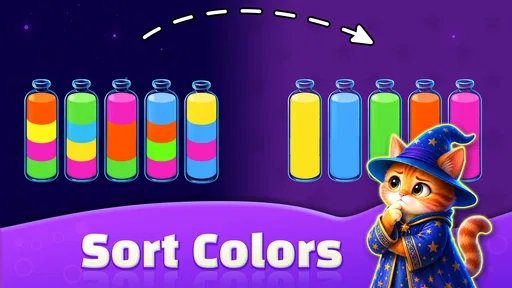
The goal is to sort the colored liquid so that each tube contains only one color. Tap a tube to pour its top layer into another tube, provided the destination has enough space and is empty or topped with the same color. Plan each move carefully: a tube with no room cannot receive more liquid, and moving colors around can make later sorting easier—or temporarily more difficult.
Is Water Sort: Color Match free to download and play?
The game may be available to download for free, but availability and pricing can vary by store, region, and version. Free puzzle games commonly include advertisements or optional in-app purchases, such as hints or other conveniences. Check the Google Play Store or Apple App Store listing before downloading for the current price, purchase details, and any age or device requirements.
Can I play Water Sort: Color Match offline?
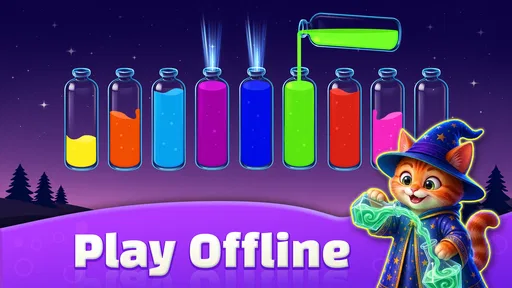
Basic sorting puzzles may be playable without an internet connection, but some features can depend on connectivity. Ads, store pages, daily rewards, events, or progress syncing may not work offline, and behavior can differ between versions. If offline play matters to you, try opening a puzzle after disconnecting from the internet and check the store listing for any stated connection requirements.
What should I do if I get stuck on a level?
Pause and look for a tube with free space, then consider how moving a top color might uncover a useful color beneath it. Many versions of water-sort games offer a hint, an undo option, or a way to add another tube, although these tools and their costs can vary. If you restart, use the new attempt to keep colors grouped and preserve an empty tube for maneuvering.
Does Water Sort: Color Match require an account, and will my progress be saved?
An account may not be needed to start playing, but saving and transferring progress can depend on the app version and your device settings. Progress may be stored locally, backed up through an Apple or Google account, or linked to an optional sign-in feature. Before changing devices or reinstalling, check the game’s settings and store information so you understand whether your levels can be restored.


